
New: create with AI
Ask. Assign. Assess.
Tell the AI what you need and get a ready exam in minutes. Review it, assign it to your class, and the grades come back to you - all in one place.
- Free for teachers
- No student accounts
- Online or printed

How it works
From an idea to graded work in three steps
-

Ask the AI - or write it yourself
Pick a subject, a level and a topic, and the AI writes the questions straight into your exam. Prefer to write your own? The editor is right there.
-

Review and save
Edit any question, or regenerate the ones you don't like. Everything is saved in your library, ready to reuse and share.
-

Assign, print or share
Send it to a digital class, where students solve with a personal code on any device, or print a designed PDF. The grades come back to you.
Features
Everything around your content, in one place
Your material, your classes and your students' results stay together, instead of scattered across files and apps.
-
AI that writes with you
Questions by subject, level and topic, in the language of the exam. You review, edit and decide.
-
Every question type
Multiple choice, true/false, fill-in, matching, open questions and question groups.
-
Students enter with a code
No student emails or accounts. Timer, question shuffling and autosave, on any device.
-
Ready-to-print PDF
Designed templates or your own design: the same exam, printed or online.
-
Automatic grading and insights
Closed questions are graded for you. See scores as students submit, and where the class needs another lesson.
-
Your library, organized
Exams, questions, documents and lesson plans in one place. Reuse them, and share them with colleagues.
Built-in AI
Use our AI, or bring your own key
Every account gets free AI questions each month. Need more? Connect your own Claude (Anthropic) API key in Settings and pay the provider directly.
- Ready in minutes, not hours
- Writes in the language of the exam
- Regenerate any question in one click
- Your key is stored encrypted
Who it's for
Made for the whole school
-
Teachers
Create, deliver and grade exams for free, and let the AI write the first draft.
Open a free account -

Schools and networks
A school account adds team features and oversight for your staff.
Open a school account -
Students
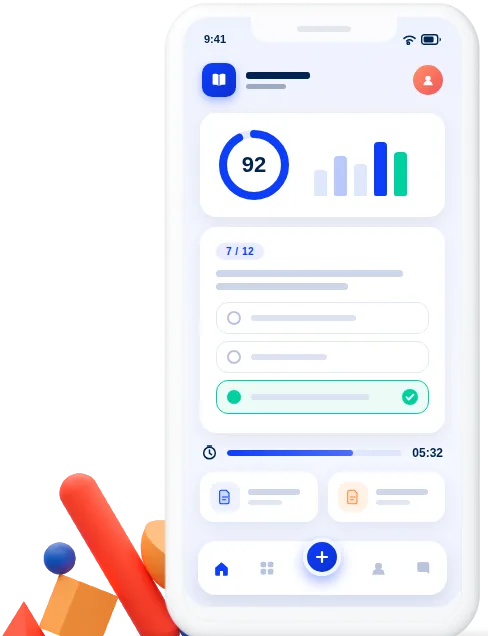
No account and nothing to install: a personal code, any device, and every answer saved automatically.
FAQ
Questions and answers
Is Libtee free?
Yes, for teachers. Creating, delivering and grading exams is free, and the AI comes with a free monthly allowance. For heavier use you can connect your own AI key.
Do students need an account or an email address?
No. Each student gets a personal access code to the class portal and solves in the browser, with nothing to install.
Can I check and change what the AI wrote?
Always. Every question the AI writes goes into your exam editor, where you can edit it, regenerate it or delete it before anything reaches your students.
Can I print exams?
Yes. Every exam can be exported as a designed PDF, from ready-made templates or your own design.
Which languages does Libtee support?
The interface is in Hebrew and English, right-to-left and left-to-right, and you can write exams in many languages.


Your next exam is one request away
Open a free account and create your first exam with AI today.